KH-XER to Smartsheet Sync
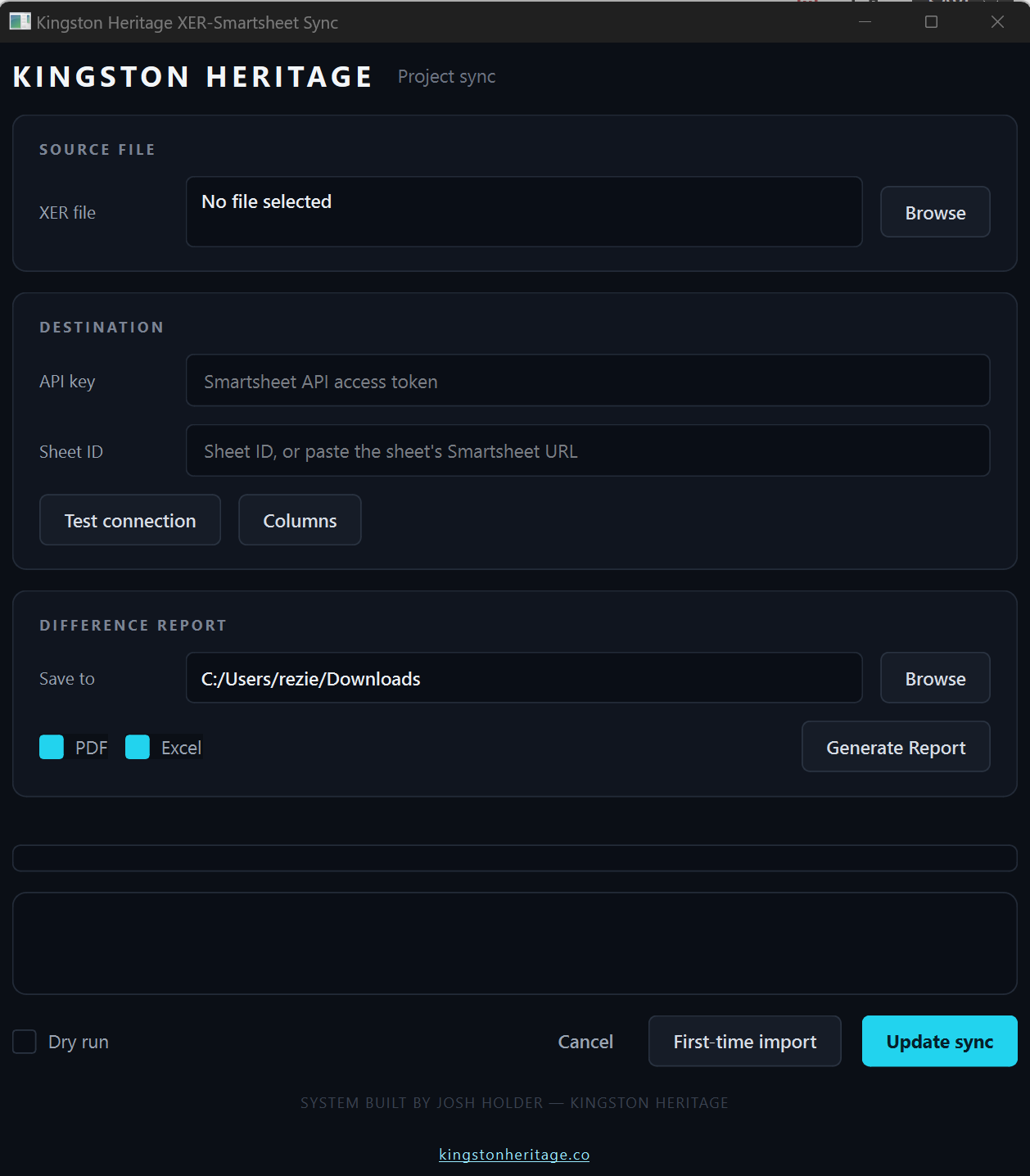
KH-XER to Smartsheet Sync
Your P6 schedule, live in Smartsheet — without the copy-paste.
Stop rebuilding your Gantt chart by hand every time the schedule updates. This tool takes your Primavera P6 export and pushes it straight into Smartsheet — WBS structure, task hierarchy, dates, durations, status, all of it — in minutes instead of hours.
One click, fully synced. Re-export your XER, hit Update Sync, and every task in Smartsheet lines up with P6 again — no manual re-entry, no missed rows.
Changes jump off the page. Anything that moved since your last sync turns red automatically, so you and your team can see exactly what shifted without hunting for it.
Built-in schedule watchdog. Generate a polished, executive-ready PDF (plus an Excel backup) that flags any activity drifting from the baseline or quietly extended by a user added subtask — before it becomes a surprise in a progress meeting.
Your calendar, respected. Holidays and non-working days sync straight from P6, so Smartsheet's dates match your actual working calendar, not a generic one.
Safe by design. Run a dry run first to preview exactly what would change, with nothing written until you're ready.
Less manual updating. Fewer scheduling surprises. One source of truth your whole team can see. There are limitations between P6 calendarsand Smartsheet but those are kept to the bare minimum. 1-3 days Shift.
This is a single-use tool, from one Construction Manager to another, please do not share or redistribute.
The sync engine reads a parsed XER file, which walks P6's WBS tree and task list and turns it into two ordered lists: WBS nodes (parents before children) and tasks. It matches those against what's already in your Smartsheet sheet using a key: the WBS node's synthetic key for header rows, and your Activity ID (ACT#) for task rows.
First-Time Import walks the WBS tree top-down, inserting header rows and then task rows underneath them, batch by batch, since Smartsheet requires a real row ID for a parent before you can insert children under it. Every task gets its Start written straight from the XER — there's no predecessor-link logic anymore; dates come directly from P6, not from Smartsheet recalculating them.
Update Sync re-reads the current sheet state, matches existing rows by key, adds anything new, and for everything that already exists: resets formatting to plain black text on every pass (three separate passes, deliberately redundant, because Smartsheet doesn't always confirm a format write took), then re-computes what actually changed since the last run (using a small local cache file, not by re-comparing to the live sheet) and flags only genuinely changed fields red.
Total Float is written every run but never drives red-flagging — P6 recalculates it relative to the "data date" on almost every export even with zero real schedule edits, so treating it as a change would make everything red, every time.
Difference Report is a separate read-only pass: it pulls the live sheet, compares Start/Finish per task against the XER, and flags anything that drifted 5+ days or got pushed out by a subtask you added manually in Smartsheet (a row with no Activity ID, indented under a task).
Limitations
Finish/End can never be written. On a Dependencies-enabled sheet, Smartsheet rejects any write to that column outright — even a blank one — so it's always calculated by Smartsheet from Start + Duration, and the app's row-coloring can't reach that one column.
A row with manually-added subtasks stops accepting Duration/Start writes. Once you indent something under a task row, Smartsheet treats that row as a parent and calculates its Start/Duration from the children — same lock a WBS header has. The app detects this and simply stops touching those two fields on that row (the Difference Report is how a real divergence there gets surfaced instead).
No re-parenting. If a task moves to a different WBS section in a newer XER, Update Sync won't move its existing row — it only adds genuinely new rows and updates values in place.
Conditional Formatting rules (or anyone's manual text-color changes) in Smartsheet take priority over anything the app writes. If a rule or manual formatting is coloring a cell, the app's writes can't override it — that has to be fixed in Smartsheet's own Format menu.
Holiday/non-working-day list can get truncated. Smartsheet caps how many non-working days a calendar can hold; if your XER's holiday list is longer, the app retries with a smaller list and Duration math is recomputed against whatever actually landed — but this means the calendar in Smartsheet may not be byte-identical to the XER's.
No live progress visibility into partial failures. Smartsheet's bulk update API is all-or-nothing per batch and doesn't report which individual cell got rejected — so a silent per-cell rejection (like the parent-row lock above) can't be detected or logged, only inferred from known patterns.
API key isn't saved. You re-enter it each session — nothing is stored in Windows Credential Manager or similar.
Single-user, single-machine tool. No concurrency handling if two people run a sync against the same sheet at the same time.